Purpose
Use this guide when you need to download media or export review data from a Captionator library.
Export can include structured data such as tags, comments, markups, ratings, and transcript data when those fields are available. Download is for retrieving the media file itself.
Screenshots use documentation sample media and customer-safe names.
Download Or Export
Use the card action menu when you are working with one media item.
| Action | Use it when |
|---|---|
| Download | You need the media file or the current downloadable asset. |
| Export data | You need metadata, review notes, tags, ratings, markups, comments, transcript data, or other structured output. |
Use the selected-media toolbar when you need to work with one or more selected items together.
Open Card Actions
- Open the library that contains the media.
- Find the media card.
- Open the card action menu.
- Choose Download or Export data.
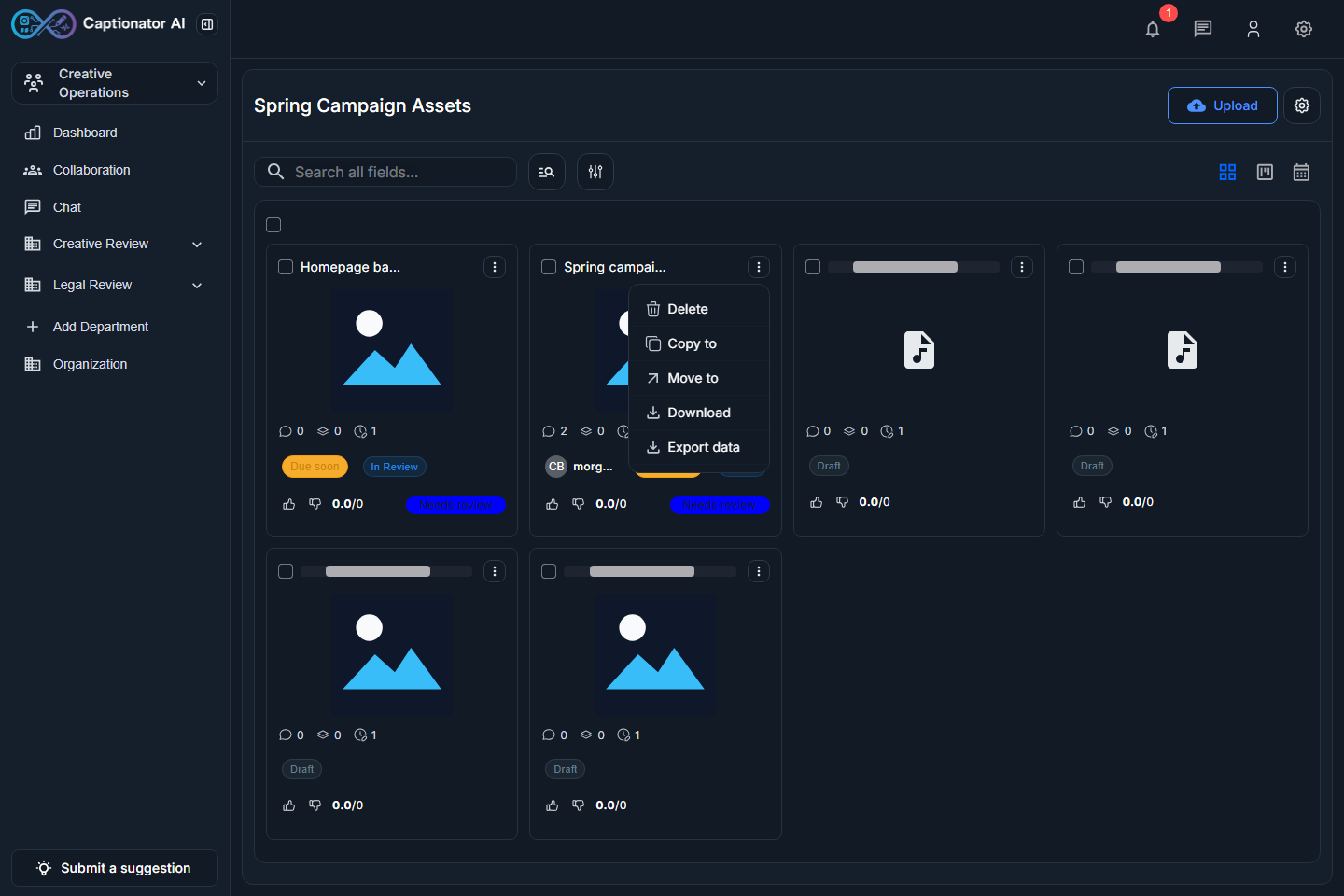
Screenshot: media card action menu with Download and Export data.
If you do not see one of these actions, your organization role or granular library grant may not include the required download or export permission.
Export One Media Item
- Open the media card action menu.
- Select Export data.
- Choose the export format.
- Choose which review data to include.
- Start the export, or select Cancel export to close the dialog.
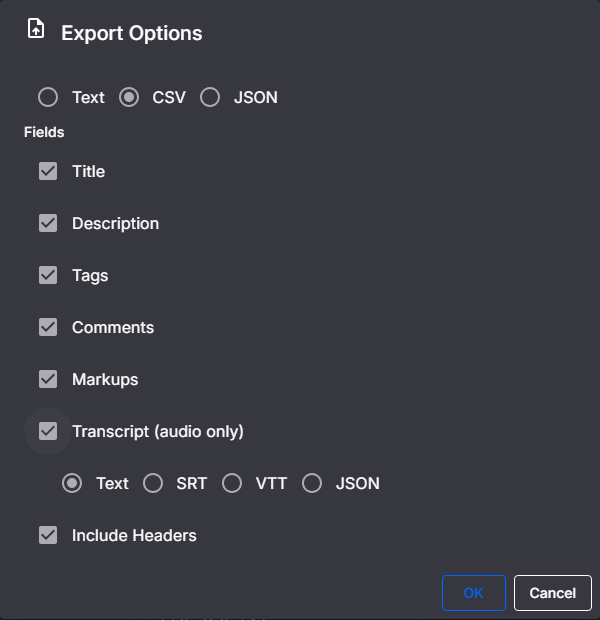
Screenshot: Export Options dialog with format and data selections.
The available options can vary by media type and by what data exists for the item. For example, transcript-related output only applies to audio with transcript data.
Export Selected Media
Use selection when you want to export or manage several media items from the library grid.
- Check the media card selection box.
- Confirm the selected count appears in the toolbar.
- Use the toolbar actions for the selected set.
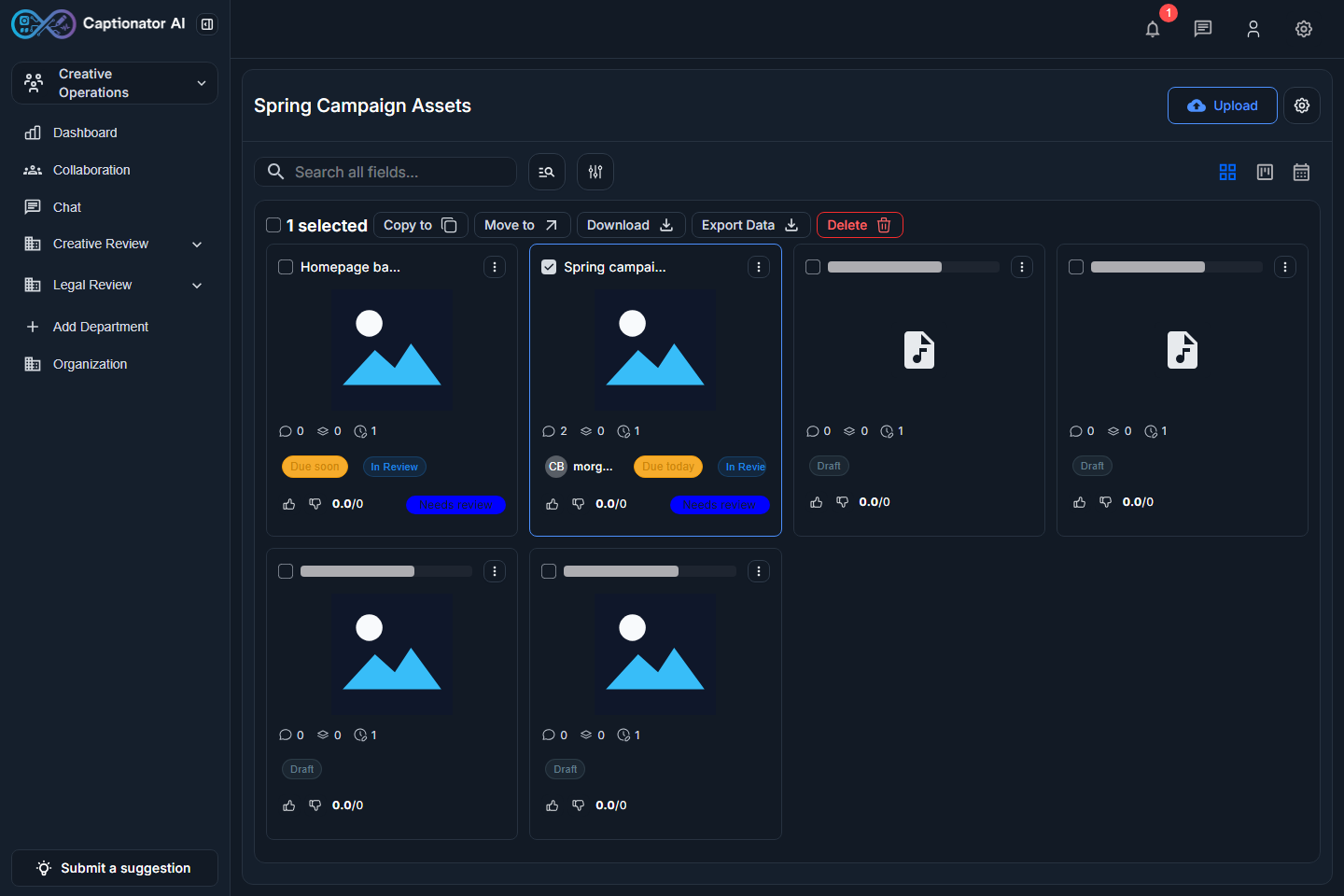
Screenshot: selected-media toolbar after selecting one library card.
Before exporting a selection, check that every selected item belongs in the same export set. Clear the selection if you accidentally include the wrong media.
Export Options Reference
The Export Options dialog is where you choose the output shape and included review data.
Common options include:
- Format, such as CSV or other supported data output.
- Comments.
- Markups.
- Transcript data for audio when available.
- Additional media metadata or review fields when the dialog offers them.
Use comments and markups when the recipient needs review context. Use tags and ratings when the export will be filtered, audited, scored, or used for downstream media organization.
Troubleshooting
| Issue | What to check |
|---|---|
| Download is missing | Confirm your account has download permission for the library. |
| Export data is missing | Confirm your account has export permission and the media type supports export. |
| Transcript options are not useful | Transcript fields only apply when audio transcript data exists. |
| Comments or markups are empty | Open the media editor and confirm those tabs contain saved data. |
| The selected toolbar is not visible | Select the checkbox on at least one media card. |
| The export contains the wrong media | Cancel, clear the selection, and select only the intended items. |